

Todd's telling this one.
Every guide out there teaches you to use this tool to study faster. Summarize, memorize, make flashcards. That works, and it wastes the thing.
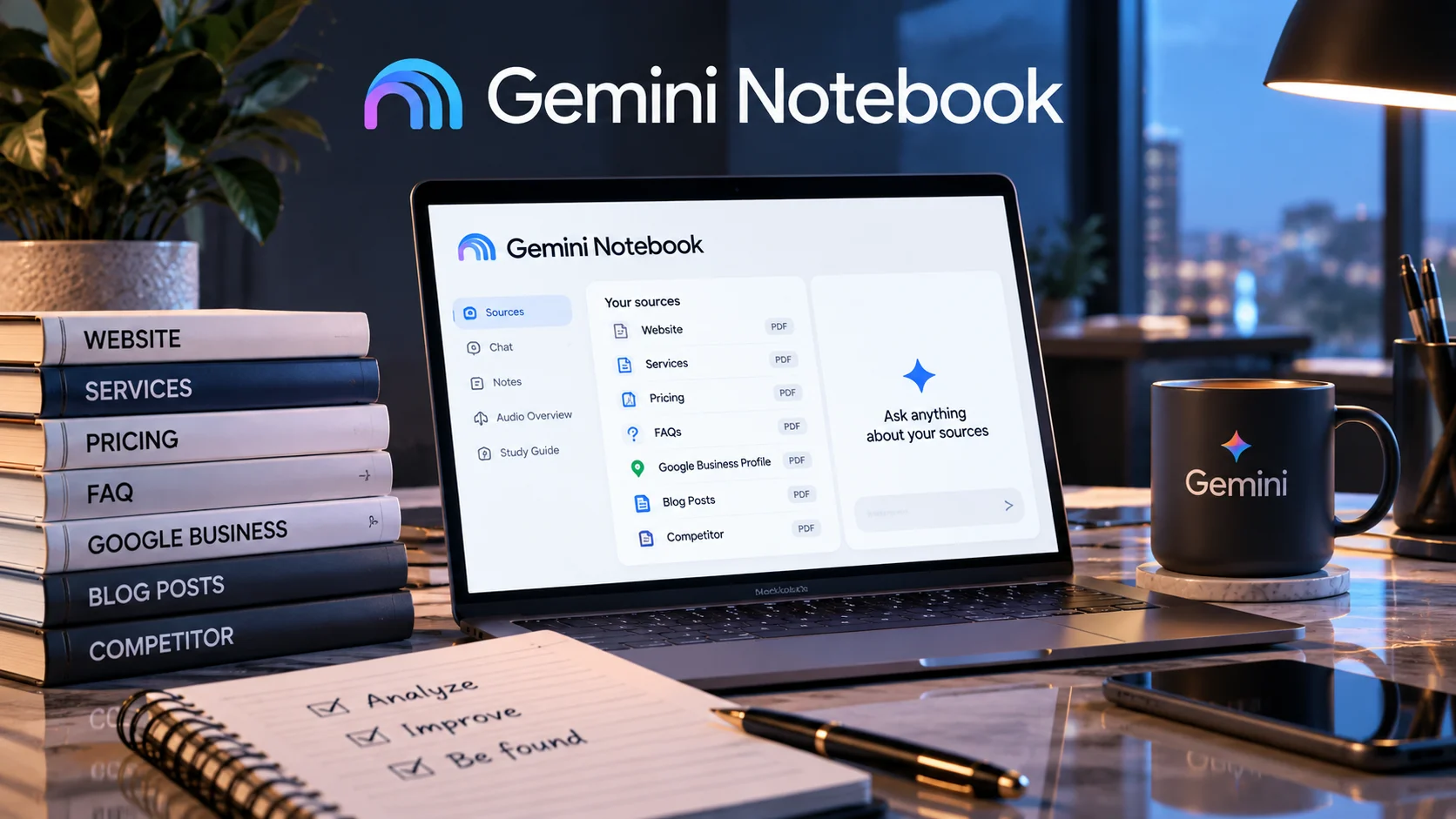
Gemini Notebook, the Google tool that was called NotebookLM until July 16, 2026 and still has a free tier, answers only from the documents you upload, and shows you which passage each answer came from. That limitation, which sounds like a weakness, is what lets you rehearse the exam ChatGPT and Gemini already give your business every day in front of your client. Door closed means you fail where nobody watches. It does not mean Google isn't reading what you upload. More on that below.
These 25 prompts answer one question, and it isn't "what does this document say?". It's "is what I publish enough for an AI to recommend me?" We laid out the whole idea in the mirror post; this is the part you run.
Before you start: what goes in the notebook
This is the step nobody explains, and it decides everything. A notebook with two loose PDFs gives you answers about two loose PDFs.
Upload, in this order:
- The full text of your homepage and every service page.
- Your pricing page, if you have one.
- The last proposal or quote you sent, with the client's name stripped out. Upload it even if you have a pricing page: prompt 22 needs it.
- Your FAQs, even the half-finished ones.
- Your Google Business Profile listing, copied as is.
- Two or three of your own posts, the ones you rate highest.
- A competitor's public material, one that actually worries you. Their site, their services, their listing. Almost nobody does this, and a good part of the value comes from here.
One honest note: since the tool already answers only from your sources, you do not need to write "use only the material I gave you" in every prompt. It is already guaranteed. You will see that tip repeated in other lists; it is filler, and that is why we do not repeat it prompt by prompt.
Block 1. The mirror (six prompts, one sitting, and you leave with a diagnosis)
These six are the minimum pass. If you only do one thing, do this.
1. The client's question
Act as someone who needs [YOUR SERVICE] in [YOUR CITY] and has never
heard of me. They don't know technical terms.

Write the 15 questions they'd ask before deciding who to call, in the
real order they'd ask them.

Then answer each one and mark every answer COMPLETE, PARTIAL or
NO ANSWER.
Variables: [YOUR SERVICE] in your client's words, not yours (say "fixing crooked teeth", not "interceptive orthodontics"). [YOUR CITY] where people actually search for you.
What the output is for: a table with plenty of rows sitting at PARTIAL or NO ANSWER. That's normal, and it's the raw material for everything after. If everything comes back COMPLETE, suspect the prompt or how little you uploaded before you celebrate.
The risk in this prompt: write the service in professional vocabulary and you get a colleague's questions instead of a buyer's, which defeats the whole exam.
2. The answer you can't give
Go through my documents and list the questions a client would ask
that they CANNOT answer.

For each one: what information is missing, and which document it
should live in.
Variables: none. Run as is.
What the output is for: your work list for the month. Every line is a page or a paragraph that doesn't exist.
The risk in this prompt: with few documents it lists the obvious gaps and never reaches the expensive ones. Come back when the notebook is full.
3. Price
Answer as if you were me: how much does [THE SERVICE] cost, and what
makes it cost more or less?

If you can't give a range, say so plainly and explain exactly which
piece of information you'd need.
Variables: [THE SERVICE] the one that pays best, not the one that's easiest to explain.
What the output is for: often, an "I can't". That "I can't" is what your client gets when they ask ChatGPT what you charge.
The risk in this prompt: it hands you an invented range built from one stray figure in an old proposal. If you get a number, make it cite the passage before you believe it.
4. Who you're wrong for
Describe this business's ideal client and, more importantly, who
should NOT hire it.

Cite the passage behind every claim. If my documents don't let you
define who it's wrong for, say so.
Variables: none.
What the output is for: almost always, a "they don't let me". Practically nobody publishes who they don't serve, and it's exactly what an AI needs in order to recommend you with confidence instead of listing you as filler.
The risk in this prompt: it can build a generic profile from the tone of your site. If the answer reads like a template and carries no cited passages, it isn't a finding, it's filler.
5. You against the competitor, both sets of papers on the table
Compare my documents against the competitor's that I uploaded.

Give me a three-column table: what both answer, what only they answer,
what only I answer. Cite the exact passage on each side.
Variables: none, but it needs the competitor's material uploaded.
What the output is for: the "only they answer" column is your task list. The "only I answer" column is your sales argument, and you're probably not using it.
The risk in this prompt: upload only their homepage and the comparison comes out short and leaves you falsely relaxed. Match what you uploaded for yourself.
6. How an AI would describe you in thirty words
From my documents, write the 30-word description of this business
you'd give someone asking about [THE SERVICE] in [YOUR CITY].

Then write three more, all different.
Variables: same as prompt 1.
What the output is for: four sentences. If all four would fit any business in your trade, that's your problem, and no web redesign fixes it.
The risk in this prompt: it can hand you the same sentence rearranged four times. If it does, ask for the fourth one written for someone who already ruled out two competitors.
Block 2. The gaps (what to write, and in what order)
7. The questions nobody owns
Go back through my documents and collect every client question they
leave unanswered. Group them by topic.

For each group, tell me what kind of page would solve it: a service
page, an FAQ, a case study, or a post.
Variables: none. It sharpens if you come from prompt 2 in the same conversation, and it still runs on its own because it rereads the sources.
What the output is for: a handful of topic groups. Each group is one piece of content, not ten.
The risk in this prompt: it proposes a blog post for everything. If "post" shows up more than three times, make it spread across the four types.
8. What you take for granted
Find the things my documents assume and never explain: technical
terms with no definition, steps in the process that get skipped, and
decisions presented as obvious.

List each one with the passage where it shows up.
Variables: none.
What the output is for: the curse of knowledge, in list form. Usually your own process comes out, told from step three.
The risk in this prompt: some of those assumptions are deliberate and fine. The mistake is treating the list as a list of corrections.
9. The contradictions
Find contradictions across my documents: different figures for the
same thing, promises that don't line up, different timelines or
prices, hours or addresses that don't match.

Quote both versions of each contradiction.
Variables: none.
What the output is for: old phone numbers, pandemic hours, a service you dropped. Every contradiction is a reason for an AI to trust you less.
The risk in this prompt: it flags things that are merely worded differently. Read before you fix.
10. The missing proof
Go through my documents and tell me which claims I make with nothing
behind them: no case, no number, no example, no source.

Rank them from most important to a buying decision down to least.
Variables: none.
What the output is for: "we're the best", "over X years of experience" with nothing beside it, "personalized service". The list of what you have to prove or drop.
The risk in this prompt: it ranks by how often something appears in the text, not by weight in the decision. Reorder it yourself.
11. Your vocabulary against theirs
Give me two columns. On the left, the terms I use in my documents.
On the right, what someone with no training in [YOUR TRADE] would
call the same thing.

Flag the terms in my documents that a client would never type into
a search box.
Variables: [YOUR TRADE] in plain words.
What the output is for: your site written in a language your buyer doesn't speak. It's why this prompt is on the list.
The risk in this prompt: some technical terms have to stay for precision. The right move is usually to carry both, not to swap.
12. The writing plan, ranked
Using what you found in this conversation, and rereading my
documents, give me a ranked list of at most 7 things to write or fix,
ordered by impact on a client's decision.

For each: what it is, where it goes, and roughly how much text.
Variables: none. This one needs Block 2's conversation in front of it. If you lost it, paste in the answers to prompts 7 through 11 first.
What the output is for: seven lines. Maximum. Nobody works a list of thirty.
The risk in this prompt: with no prior context it hands back a generic "improve the website" list. That's how you can tell it was starved.
Block 3. The notebook turns into material
These outputs live in the tool's Studio panel, not in the chat. Per Google's support documentation, that's where audio overviews, video overviews, mind maps, flashcards, quizzes, infographics and slide decks get built from your sources. There are daily generation caps and they vary by plan, so run Block 1 first.
13. The audio you'd actually listen to
Focus for the audio overview: don't explain what [THE SERVICE] is.
Talk to someone who already knows what they need and is choosing
between three providers. Stay on how the decision gets made and what
to ask before signing. Direct tone, no forced enthusiasm.
Variables: [THE SERVICE].
What the output is for: a conversation you can send to a client who's stalling, instead of a summary of your own site.
The risk in this prompt: with no written focus, the audio summarizes your website and does nothing.
14. The video for the waiting room
Focus for the video overview: the 5 things a new patient or client
needs to understand before the first appointment, in the order they
worry about them. No company history.
Variables: none.
What the output is for: something you can leave running on a screen in reception, answering the questions your front desk answers every day.
The risk in this prompt: if your sources don't explain the first appointment, it builds the video from the little that's there. Watch it before you show it.
15. The service mind map
Build the mind map around [THE SERVICE], not around the company.
Make the branches the decisions the client makes, not the internal
areas of the business.
Variables: [THE SERVICE], same as prompt 3.
What the output is for: an empty branch or two. That empty branch is the gap none of your copy covers.
The risk in this prompt: without the "client decisions" instruction it can organize by business area, which is your org chart, not the purchase.
16. The exam for your own team
Build a 15-question quiz on what a client might ask over the phone:
prices, timelines, what's included, what isn't, cancellation policy.
Variables: none.
What the output is for: the instrument that shows you three people on your team give three different answers to the same question.
The risk in this prompt: if your internal documents aren't in the notebook, the quiz measures your website and not your operation. Upload both.
17. Flashcards for whoever answers the phone
Generate 20 flashcards. Front: the question exactly as a client would
ask it on the phone, in their words. Back: the answer in two
sentences maximum, in the tone someone on my team would use.
Variables: none.
What the output is for: real training material for the person who answers, who is the one deciding whether the client books or hangs up.
The risk in this prompt: the backs come out written like a brochure. Rewrite them by hand; the flashcard saves you picking the questions, not answering them.
18. The one-pager
Build the infographic on: how someone decides to hire [THE SERVICE],
in 5 steps, with what to verify at each step.
Not about my company.
Variables: [THE SERVICE].
What the output is for: one sheet you can send when someone asks for information.
The risk in this prompt: ask for "an infographic about my company" and you get a brochure. The value is that it's about the client's decision.
Block 4. From the notebook to the business
19. The FAQs people actually ask
Write 20 FAQs for my site with these rules: the question is written
the way a client would type it into a search box, the answer runs 60
words maximum, and every answer opens with the direct answer before
any nuance.

Flag the ones you can't answer.
Variables: none.
What the output is for: several flagged as impossible. Those are the ones that matter.
The risk in this prompt: ask for 20 and get 20 with nothing flagged and it's padding you. Insist on the flags.
20. The five-minute script
Write the script for explaining [THE SERVICE] to someone in 5
minutes, in plain language, no jargon and no forced analogies.

Then tell me which part of the script my documents don't support.
Variables: [THE SERVICE].
What the output is for: the script of your own first call, better ordered than the way you tell it today.
The risk in this prompt: it tends to deliver the script and skip the second half, which is the half worth having. Ask for it again on its own.
21. The objection, in their words
From my documents, list the 8 likeliest objections a client has
before hiring. Write them in the words they'd use, not mine.

For each: the answer my documents allow, and whether that answer is
weak. Say so if it is.
Variables: none.
What the output is for: several answers flagged weak. Those are the calls you're losing right now.
The risk in this prompt: it softens. If every answer looks fine to it, tell it to act as the most skeptical client your trade has ever had.
22. The follow-up you never sent
If I uploaded a proposal or quote, take it and write the follow-up
message to send 4 days later, with no discount and no pressure.

Anchor it to a specific point in the proposal, not to
"just checking if you saw it".
Variables: none, but it needs the document from point 3 of the setup.
What the output is for: a message you can send today to the quotes that went cold.
The risk in this prompt: a generic proposal gives you a generic follow-up. The message is only as good as what it's built on.
23. The client-facing summary
Build a one-page executive summary from my documents for a client
with 5 minutes: what gets done, on what timeline, what you need from
them, and how we'll know it worked.

Flag what's missing.
Variables: none.
What the output is for: the point that usually comes back uncovered is "how we'll know it worked", and it's one of the expensive ones.
The risk in this prompt: it can splice figures from two different documents and compose a timeline you never promised. Check timelines and numbers against the source before it leaves your desk.
24. Why not to hire you
Act as an honest advisor hired by the client, not by me. From my
documents, build the strongest case for NOT hiring this business.

Then build the case for. Be equally rigorous on both.
Variables: none.
What the output is for: the case against, which your client already built alone and you never got to hear.
The risk in this prompt: the case against can come out weaker than the case for, because your sources are your sales material. If it's thin, feed it the competitor's material and ask again.
25. The seven days
Take the ranked list from this conversation and turn it into a 7-day
plan. One job per day, each finishable in 90 minutes.

Context: I spend [HOURS] a week on this and [WHO WRITES] does the
writing.
Variables: [HOURS] be realistic, and [WHO WRITES] say whether it's you, an assistant, or nobody. That context changes the whole plan. It needs prompt 12 in front of it; if you lost it, paste that list here.
What the output is for: seven 90-minute jobs. If you get tasks like "rewrite the website", it ignored the time limit. Say it again.
The risk in this prompt: a seven-day plan doesn't fix a site with no content. If the diagnosis came back thin, what you need isn't a plan, it's to sit down and write.
The formula for writing your own
All 25 above are built from the same six pieces. When one doesn't work, check which of the six you left out.
| Piece | What it is | Example |
|---|---|---|
| Persona | who answers | "act as a client who's never heard of me" |
| Task | the verb, one only | "list", "compare", "flag" |
| Context | your reality, not the generic one | "I spend 3 hours a week on this" |
| Style | tone and level | "plain language, no jargon" |
| Example | the shape of the output | "three-column table" |
| Reference | what it's measured against | "cite the exact passage" |
And the instruction that pays most and almost nobody uses: make it flag what it can't answer. An AI you never gave permission to say "I don't know" will fill the gap with something that sounds right. That filler is exactly what ruins the measurement when what you're measuring is whether your material is enough.
Where all of this falls down
- It doesn't predict what ChatGPT will say about you. It tells you what can be said about you with your own material. Lab test, not street.
- It connects to nothing. Not your CRM, not your inbox, not your live site. What you don't upload doesn't exist to the notebook.
- There are other ways to do this. A Claude project or a GPT with your files also read only what you give them. We picked this one because it has a free tier, cites the passage, and doesn't let you cheat without noticing.
- It's Google's. No case files, no contracts, no client data.
- The daily caps are real and they move with the plan.
- Fixing the gaps isn't automatic. The notebook tells you what's missing. Writing it is still human work, and that's the entire point.
What you do now
Run all six of Block 1, one sitting. You'll come out with a list of questions your own business can't answer.
If that list bothers you and you'd rather go through it with someone, book a call below.
Keep reading
- Upload your own documents to NotebookLM: if the AI can't understand you, neither can your client - where the mirror idea is laid out in full.
- Getting cited by ChatGPT doesn't pay the bills - the step after: what you do once the AI finally names you.
- SEO vs. GEO vs. AEO: which one does your business need - to place where all of this fits.
- External: Google's announcement of the rename to Gemini Notebook, July 16, 2026, and the product help center, where the Studio format list comes from.