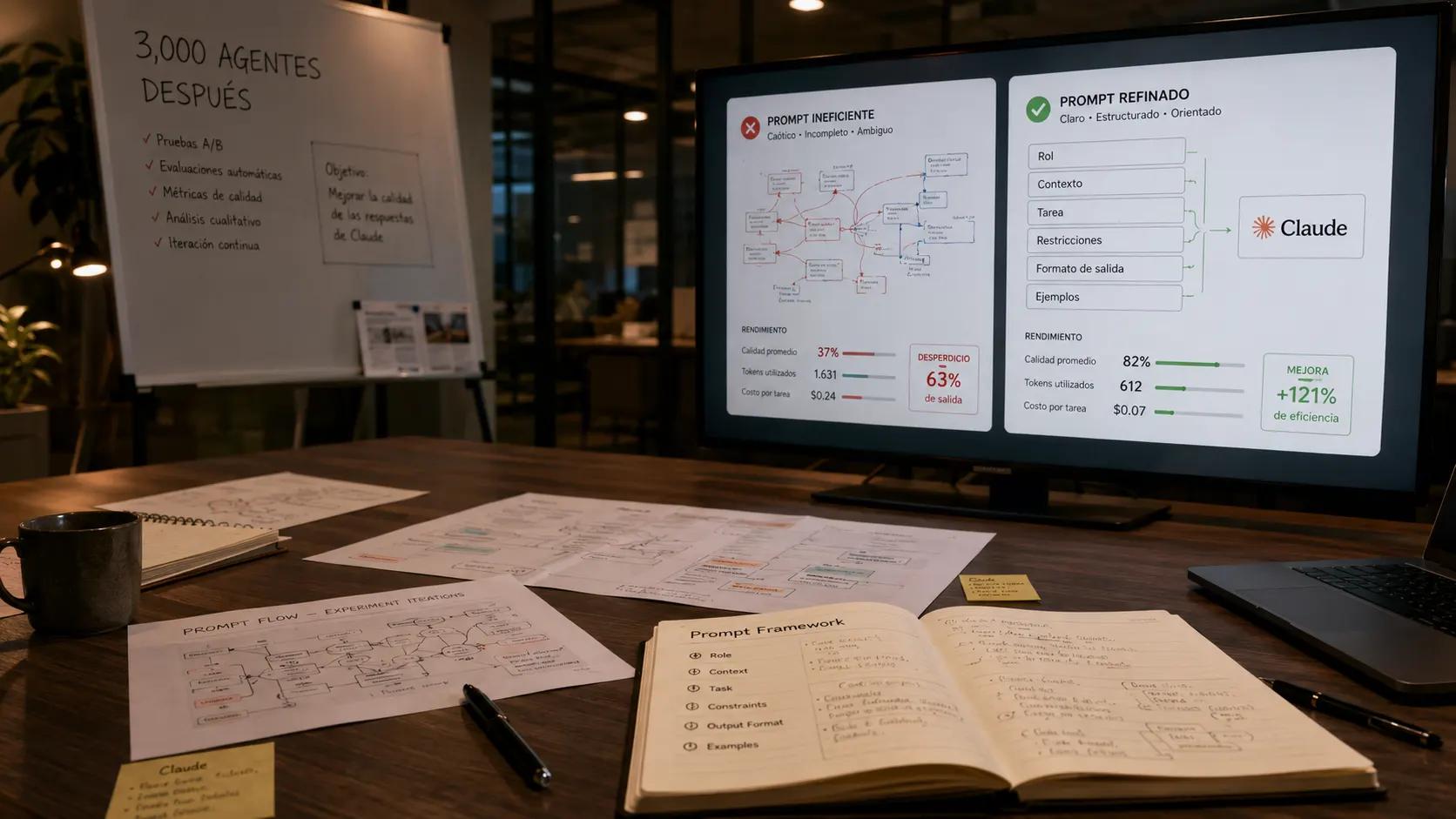
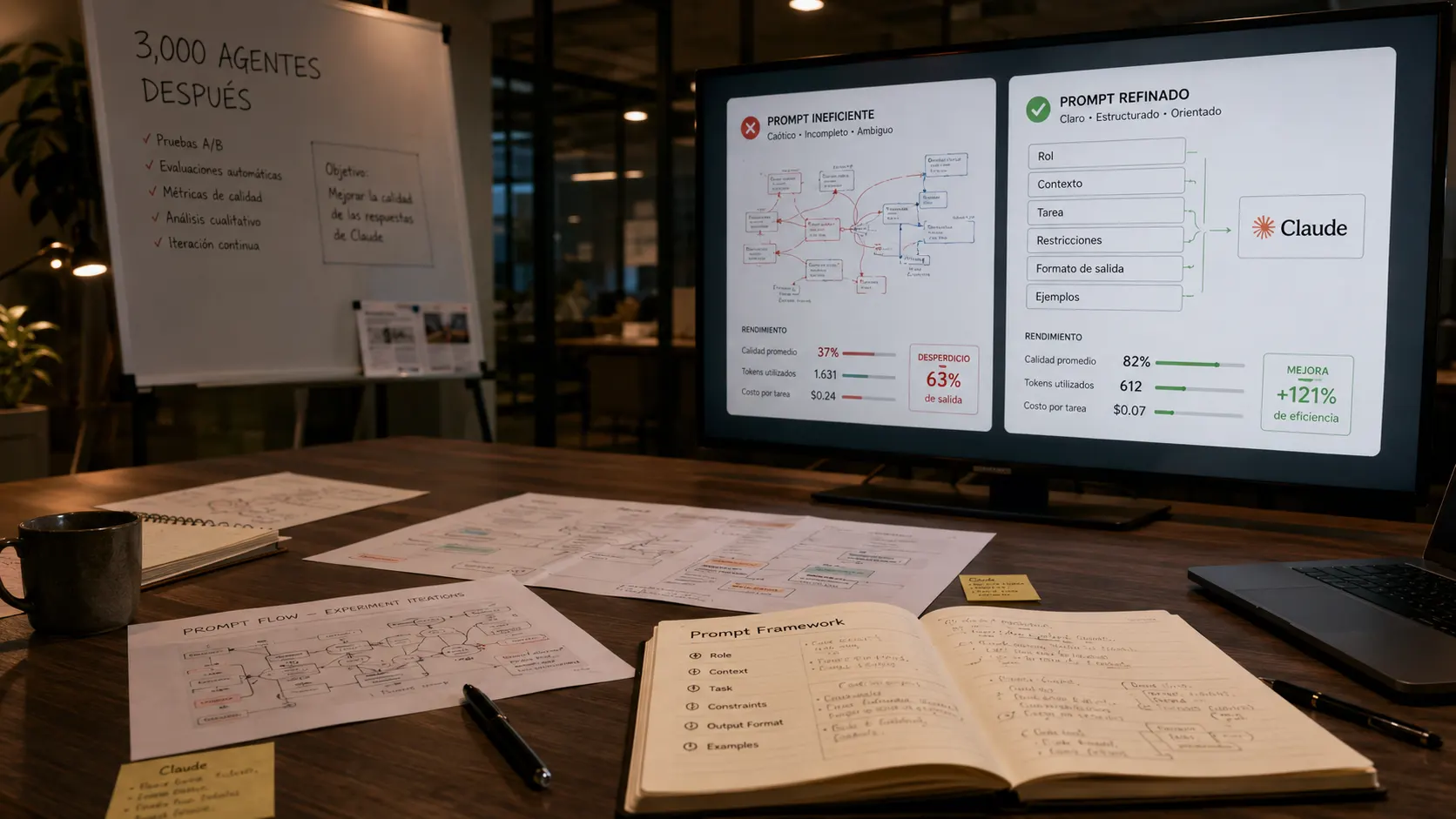

Most people talk to AI the expensive way: they open a fresh chat, paste the same background again, write a vague request, and get a mediocre answer. Then they do it all over tomorrow. The fix is not a better model. It is a better setup. Projects, reusable context, and tight prompts get you better answers in less time and at lower cost.
This is a working document. Set up your projects and prompting habits once and every future chat gets faster and cheaper. Time to set up: 30 to 45 minutes. Outcome: a project structure and prompting routine that stops you from re-explaining yourself and starts producing consistent, high-quality output.
Why You Are Talking to AI the Long Way
The single biggest waste in everyday AI use is repetition: re-pasting the same context, re-explaining your business, re-stating your rules every single chat. It is slow, it is inconsistent, and it costs more for worse results.
Set Up a Project Once
A project is a workspace that holds context for a recurring job, so you do not re-supply it every chat. Set one up for each kind of work you do repeatedly and you stop re-explaining yourself forever.
Write Reusable Instructions
Beyond documents, give your project standing instructions: how you want it to write, what format to use, what rules to always follow. Then every chat starts already aligned to your voice instead of you correcting it each time.
Prompt Tight, Not Long
A long, rambling prompt does not get a better answer. A clear, specific one does. The skill is saying exactly what you want, in what form, with what limits, and then stopping.
Reuse, Do Not Repeat
The prompts and outputs that work are assets. Throwing them away and rebuilding from scratch each time is the quiet waste most people never notice. Build a small library and your speed compounds.
Review and Refine
Your project setup is not done after day one. The best results come from treating it as living: tightening instructions, updating context, and refining prompts as you learn what produces the answers you actually want.
AI Setup Scorecard
Rate your AI habits honestly. This is a diagnostic, not a quiz.
Score your setup - 6 yes/no questions:
- Do you use projects so you stop re-pasting context every chat?
- Have you written standing instructions for tone, format, and rules?
- Are your projects focused, not stuffed with everything?
- Do you prompt tight - goal, context, format, constraints?
- Do you save and reuse the prompts and outputs that work?
- Do you refine your setup as you learn?
Your score:
- 0 to 2 - You are talking to AI the long way. Start by setting up one project.
- 3 to 4 - Better, but still repeating yourself. Add standing instructions and a reuse library.
- 5 to 6 - Efficient and consistent. Now refine and share with your team.
Your First 7 Days
Day 1: Pick your most frequent AI task and create a project for it.
Days 2 to 3: Load its context once and write standing instructions for tone, format, and rules.
Days 4 to 5: Rewrite your go-to prompts to be tight: goal, context, format, constraints.
Days 6 to 7: Save the prompts and outputs that work into a reuse library.
Ongoing: Refine instructions as you notice repeated corrections. Re-check quarterly.
3,000 Agents Later: Talking to Claude All Wrong
The full breakdown of the habits that waste time and money with AI and the setup that gets better answers for less, learned across thousands of real builds.
Claude Prompt Builder - Free
Answer a few questions and get a tight, reusable prompt structure built for your task, plus tips to set up your project.